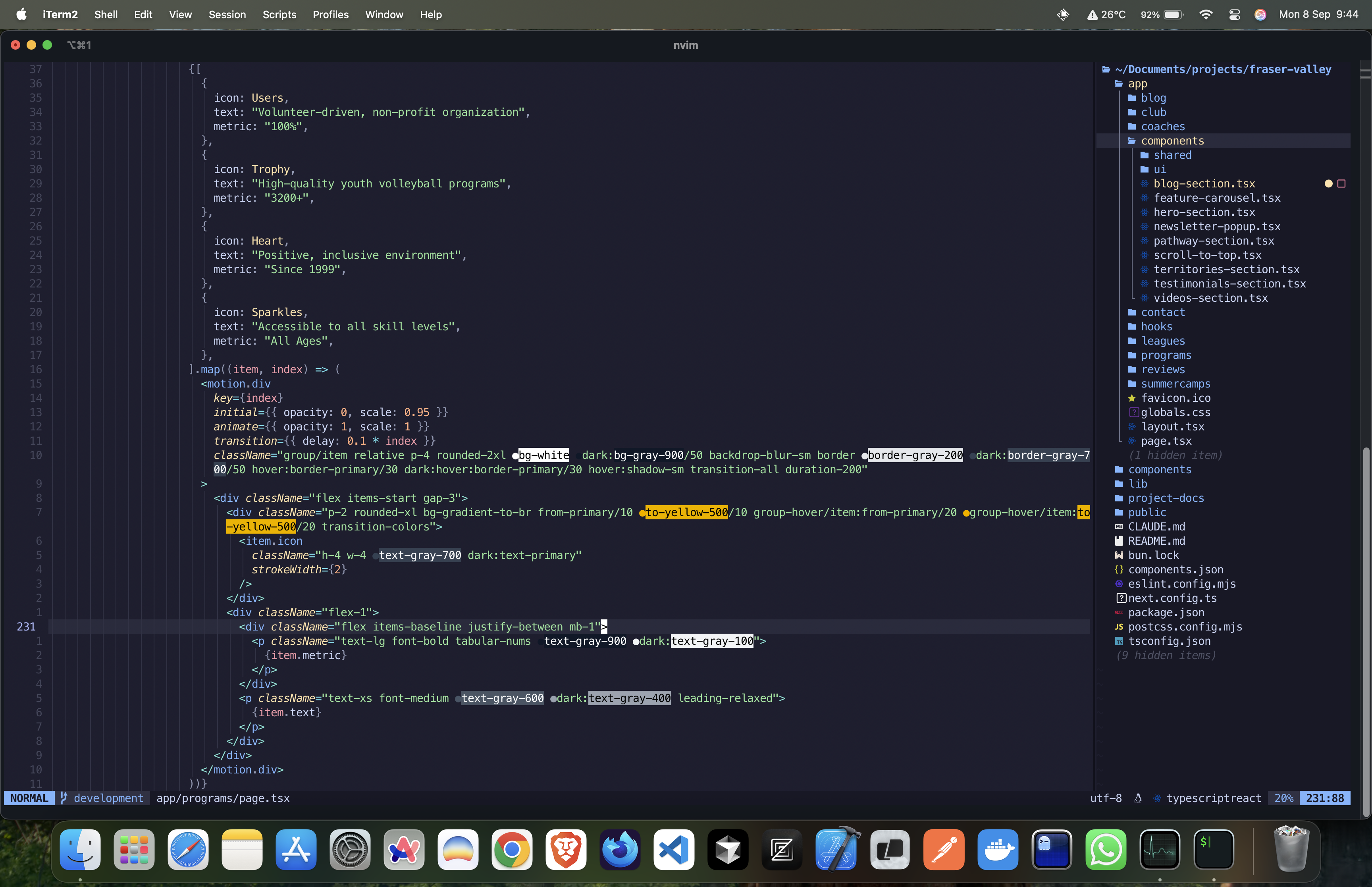
From 2.5GB to 156MB: Why I Switched to Neovim
Let me paint you a picture: It's 3 AM, you're deep in a debugging session, and your laptop sounds like it's preparing for takeoff. You check Activity Monitor and there it is – VS Code casually munching on 2.5GB of RAM while you're just trying to edit a simple TypeScript file. Sound familiar?
After years of accepting this as "just the cost of modern development," I finally snapped. And that snap led me down a rabbit hole that ended with me ditching VS Code, briefly flirting with Zed, and ultimately falling head over heels for Neovim.
The Numbers Don't Lie 📊
Before we dive into my journey, let me show you something that'll make your RAM weep tears of joy. Here's what Activity Monitor revealed during my great editor migration:
Yes, you're seeing that right. 156MB for Neovim versus 2.54GB for VS Code. That's not a typo. That's a 94% reduction in memory usage.
And before you ask – yes, this is with a fully configured Neovim setup, complete with LSP, treesitter, telescope, and all the bells and whistles you'd expect from a modern IDE.
The Problem: When Your Editor Becomes the Bottleneck 🐌
Look, I love VS Code. It democratized modern development tooling and brought incredible features to the masses. But somewhere along the way, it became... heavy. Really heavy.
Working on my new MacBook Pro M4 (yeah, I splurged – the performance is absolutely insane btw), I noticed something ridiculous: despite having this beast of a machine with its revolutionary chip architecture and unified memory, VS Code was still managing to make things feel sluggish. Opening multiple projects? Good luck. Running Docker containers alongside? Time for a coffee break.
The breaking point came when I was working on a React Native project with multiple services running. Between VS Code, Chrome DevTools, iOS Simulator, and Docker, my system was crying for mercy. And this is on a machine that can literally render 8K video in real-time.
The Journey: From Denial to Enlightenment 🚀
Stage 1: The Zed Experiment
First, I tried Zed. Built by the creators of Atom, written in Rust, promised to be fast. And it was! Memory usage dropped to around 1.5GB – a definite improvement. The collaborative features were cool, the performance was snappy, but something felt... off.
Zed is trying to be VS Code but faster. Which is great! But if I'm going to change my entire workflow, why not go all the way?
Stage 2: The Neovim Curiosity
I'd always dismissed Neovim as something for "those developers" – you know, the ones who compile their kernels for fun and have strong opinions about init systems. But curiosity got the better of me.
The first week was... rough. I'm not going to sugarcoat it. I spent more time configuring than coding. My productivity tanked. I questioned every life decision that led me to this point.
Stage 3: The Configuration Breakthrough
Then something clicked. I discovered LazyVim – a pre-configured Neovim setup that's actually sane out of the box. Suddenly, I wasn't fighting with config files; I was actually coding.
Here's a snippet of my current config structure (because I know you're curious):
lua-- ~/.config/nvim/lua/config/lazy.lua
local lazypath = vim.fn.stdpath("data") .. "/lazy/lazy.nvim"
if not vim.loop.fs_stat(lazypath) then
  vim.fn.system({
    "git",
    "clone",
    "--filter=blob:none",
    "https://github.com/folke/lazy.nvim.git",
    "--branch=stable",
    lazypath,
  })
end
vim.opt.rtp:prepend(lazypath)

require("lazy").setup({
  spec = {
    { "LazyVim/LazyVim", import = "lazyvim.plugins" },
    { import = "plugins" },
  },
  defaults = {
    lazy = false,
    version = false,
  },
  performance = {
    rtp = {
      disabled_plugins = {
        "gzip",
        "tarPlugin",
        "tohtml",
        "tutor",
        "zipPlugin",
      },
    },
  },
})
The Setup: My Current Neovim Configuration 🛠️
Here's what I'm running that keeps everything under 200MB:
Core Plugins
- lazy.nvim: Plugin manager that actually lazy-loads (unlike VS Code extensions)
- telescope.nvim: Fuzzy finder that's faster than VS Code's command palette
- nvim-treesitter: Syntax highlighting that doesn't choke on large files
- nvim-lspconfig: Native LSP support without the Electron overhead
- mason.nvim: LSP installer that just works
The Secret Sauce
The real game-changer? Everything runs in the terminal. No Electron. No Chrome engine. Just pure, optimized C code with Lua for configuration. It's like driving a Formula 1 car after years of SUVs.
The Benefits: More Than Just Memory 💨
Speed That Actually Matters
Opening files? Instant. Searching through codebases? Milliseconds. Startup time? Under 50ms.
On my M4 Pro, Neovim feels like it's reading my mind. The combination of Apple Silicon optimization and Neovim's efficiency is just chef's kiss.
Battery Life Gains
Remember those times when VS Code would drain your battery during a long coding session? With Neovim, I'm getting 2-3 extra hours of battery life. That's not an exaggeration.
The Focus Factor
There's something about working in a terminal-based editor that enhances focus. No distracting sidebars, no tempting extensions marketplace, no constant update notifications. Just you and your code.
Customization Without Limits
Want to map jk to escape? One line. Want to create a custom command that commits, pushes, and opens a PR? Few more lines. The level of control is intoxicating.
The Learning Curve: Let's Be Real 📈
I'm not going to lie and say it was easy. The first two weeks were painful. Here's what to expect:
Week 1: The Frustration Phase
- "How do I even quit this thing?"
- "Why won't my plugins work?"
- "I just want to select text with my mouse!"
Week 2: The Breakthrough Phase
- "Oh, that's what motions are for"
- "Wait, I can do WHAT with macros?"
- "This is actually starting to make sense"
Week 3: The Enlightenment Phase
- "I can't believe I used a mouse for this"
- "Let me just quickly write a Lua function for that"
- "VS Code feels so slow now"
Month 2: The Point of No Return
- Muscle memory fully developed
- Editing text anywhere else feels wrong
- You start evangelizing to other developers (sorry, that's me now)
The Honest Downsides 🤔
Let's keep it real – Neovim isn't perfect:
- The Initial Setup: Even with distributions like LazyVim, expect to spend time configuring
- Debugging: VS Code's debugging experience is still superior for most languages
- Collaboration: Screen sharing a terminal isn't as pretty as VS Code
- Extensions Ecosystem: VS Code has more extensions, though Neovim's are often higher quality
- The Learning Curve: It's steep. Really steep. Budget time for this.
The Verdict: Why This Works for Me 🎯
Switching to Neovim isn't just about saving RAM (though on my shiny new M4 Pro, having more memory for Docker containers is nice). It's about:
- Efficiency: Every keystroke is optimized
- Speed: Instant everything
- Focus: No distractions, just code
- Power: The ability to customize literally everything
- Longevity: Vim has been around since 1991. It's not going anywhere.
Your Turn: Should You Switch? 🤷
Here's my honest take: If you're happy with VS Code and it's not causing you problems, stick with it. It's a fantastic editor.
But if you're:
- Frustrated with performance
- Love terminal-based workflows
- Enjoy customizing your tools
- Have time to invest in learning
Then give Neovim a shot. Start with a distribution like LazyVim or NvChad. Give it a real try for at least two weeks. Your RAM (and your M4 Pro, if you're fancy like that) will thank you.
Resources to Get Started 📚
- My Neovim Config - Check out my complete Neovim setup if you're interested in how I configured everything
- LazyVim - My recommended starting point for beginners
- Neovim Docs - When you're ready to go deeper
- ThePrimeagen's Videos - For motivation and advanced tips
- r/neovim - Incredibly helpful community
Final Thoughts 💭
A year ago, if you told me I'd be writing a blog post about ditching VS Code for a terminal editor, I would've laughed. But here we are. My development environment now uses less memory than Slack (seriously, check your Activity Monitor).
The switch to Neovim isn't just about being a "real developer" or joining some elite club. It's about finding tools that get out of your way and let you focus on what matters: writing great code.
Plus, watching other developers' jaws drop when they see you navigate codebases at the speed of thought? Priceless.
Now if you'll excuse me, I need to go optimize my config file for another 2ms of startup time reduction. Don't judge me.
P.S. – Yes, I wrote this entire post in Neovim. No, the irony isn't lost on me that I'm using a web-based platform to publish it. We live in interesting times.
P.P.S. – To all the VS Code developers reading this: Thank you for everything you've built. You made coding accessible to millions. Neovim just happens to fit my workflow better now. No hard feelings? ❤️